
01
Diagnostic viewing
Review studies in configurable split viewports with presets, measurements, synchronization, image selection, and practical navigation controls.
Split viewportsMeasurementsWW / WL presets
PrecisionRAD brings diagnostic viewing, CT reconstruction, 3D visualization, reporting, printing, and local study management into one focused Windows workflow.
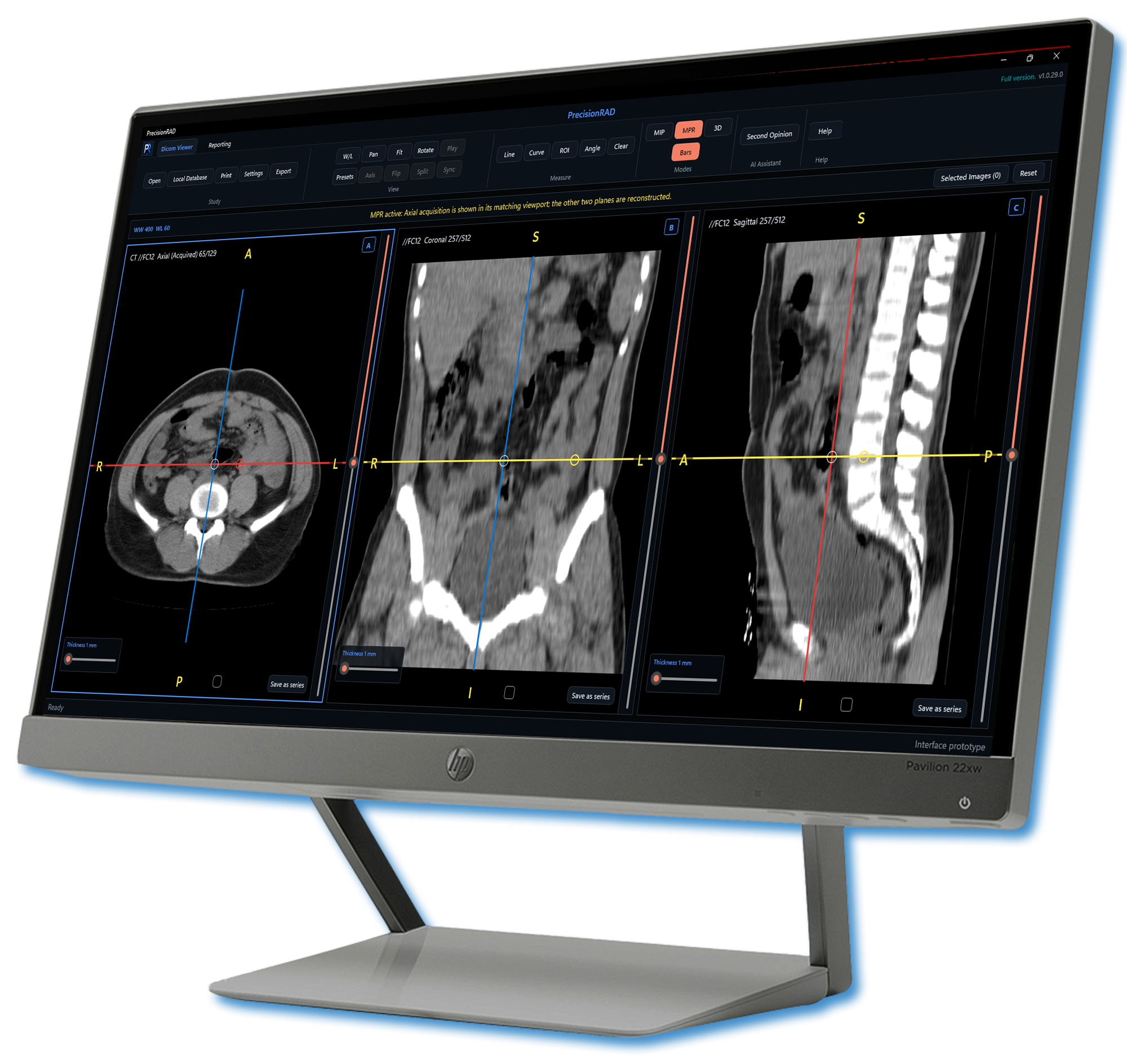
Built as a cohesive desktop environment, PrecisionRAD reduces the need to move between disconnected viewers, reconstruction tools, editors, and output utilities.
Review studies in configurable split viewports with presets, measurements, synchronization, image selection, and practical navigation controls.
Move from axial series to MPR, oblique reformats, MIP, and interactive 3D volume rendering without leaving the workstation.
Create structured, Word-like reports with templates, multilingual tools, spell checking, headers, footers, page numbering, and print-ready output.
Receive DICOM studies, maintain a local patient database, prepare diagnostic films, export selected images, and share completed documents.
Each stage stays close to the study, helping the user retain context as the case progresses.
Open a study from local storage or receive it from a configured modality.
Navigate series, compare viewports, measure, annotate, and refine display settings.
Create CT MPR, MIP, and 3D views when the study and workflow require them.
Prepare and update patient reports or reusable templates in the integrated editor.
Print, export, save, or share the completed clinical documentation.
PrecisionRAD is shaped around familiar radiology actions—viewport selection, series navigation, windowing, measurement, reconstruction, audit, and print composition.
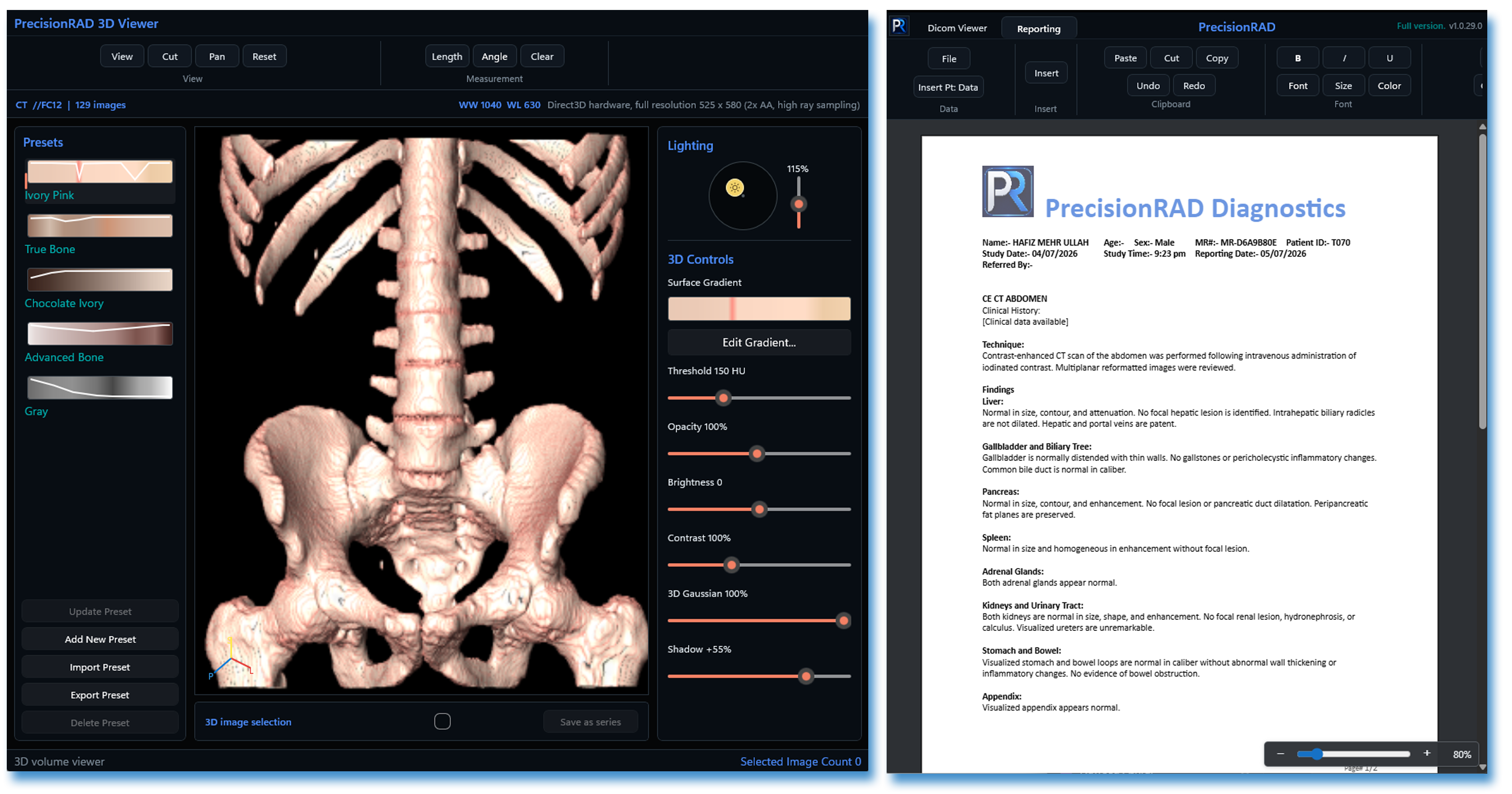
Four concise walkthroughs of the tools radiologists use most.
PrecisionRAD provides configurable controls for local storage, DICOM connectivity, user access, auditing, and trial or licensed deployment.
Review product information →Maintain studies and generated series within the configured workstation database.
Enable and configure DICOM receiving only when the workstation role requires it.
Use security and audit controls appropriate to the organization’s operating policy.
Product documentation for evaluators, administrators, and clinical users will be available here as the public release is prepared.
Understand viewing, reconstruction, reporting, printing, and keyboard shortcuts.
Available at launchReview supported Windows environments and recommended workstation hardware.
Available at launchFollow improvements to performance, tools, compatibility, and workflow.
Available at launchRead the EULA, privacy information, disclaimer, and intended-use guidance.
Available at launchPrecisionRAD is free to use until December 31, 2026. After this period, an annual subscription will cost approximately USD $43, allowing simultaneous use of the application on up to 10 computers.
Try it nowContact us for product information, deployment planning, or availability updates.